Choose how you want to learn
Sandbox Mode offers open exploration: load labs manually, inspect systems, and experiment. Gameplay / Learner Mode provides a guided experience through tickets, briefings, objectives, and progression. You can approach the same technical concepts with different amounts of structure.
A lab provides the environment
A lab supplies the simulated devices, interfaces, links, and enabled service roles for an exercise. Loading a networking lab attaches Ghost OS to its environment. lab status describes the actual active devices, addresses, roles, links, and attachment, which is more useful than assuming a remembered topology.
Start with a narrow question: which machine serves the page, which gateway connects the client, and which interface carries the request? Then gather observations with the shell and network tools. Different labs emphasize different concepts, including switching, VLANs, firewall behavior, wireless connectivity, and exposed services.
A mission gives the investigation a purpose
Mission briefings describe the situation and objectives describe what counts as progress. Some missions use a lab, while orientation tickets can work without one. Read the objective before choosing a tool: a successful scan, a file observation, and a submitted answer are different kinds of evidence.
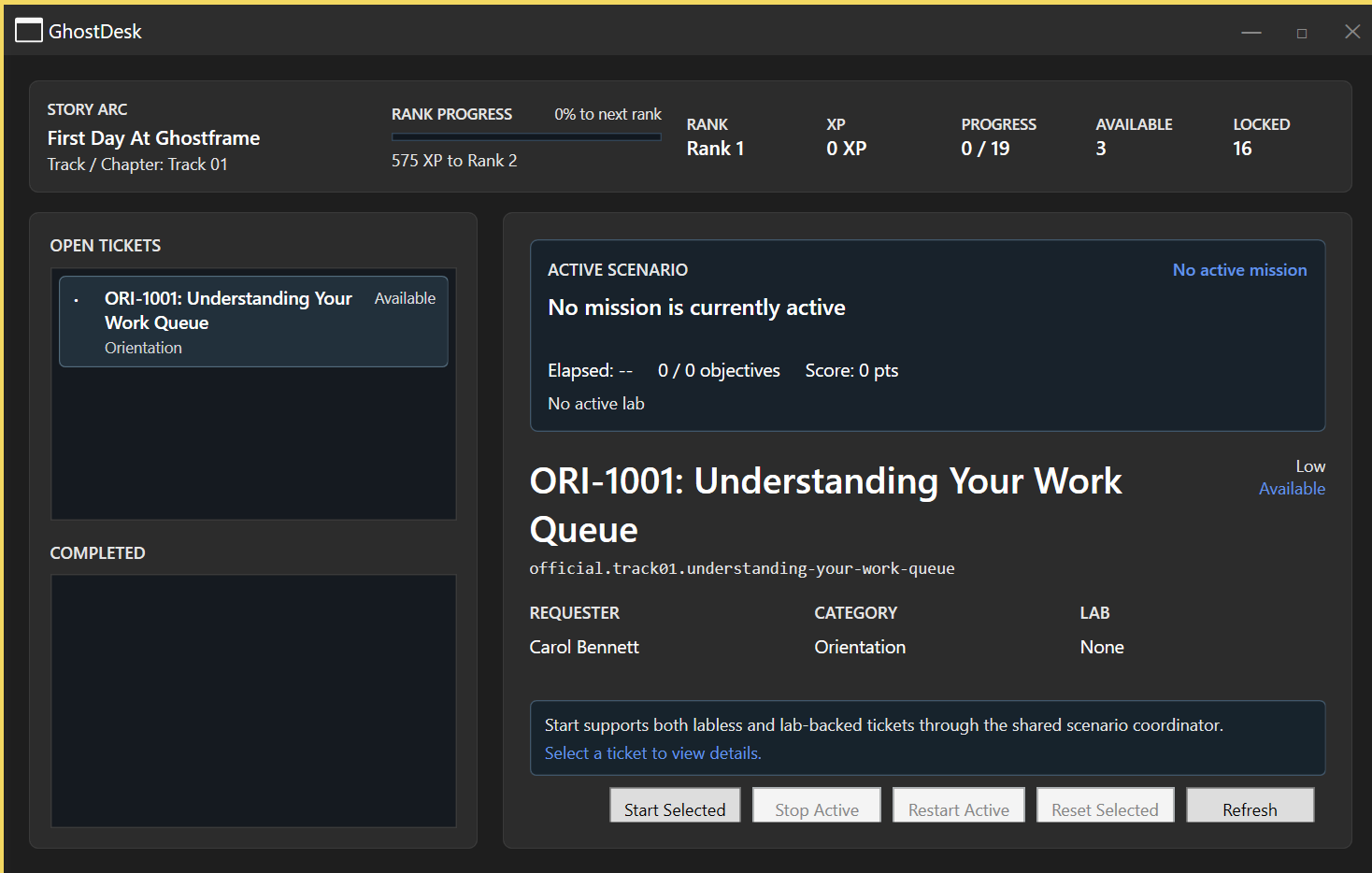
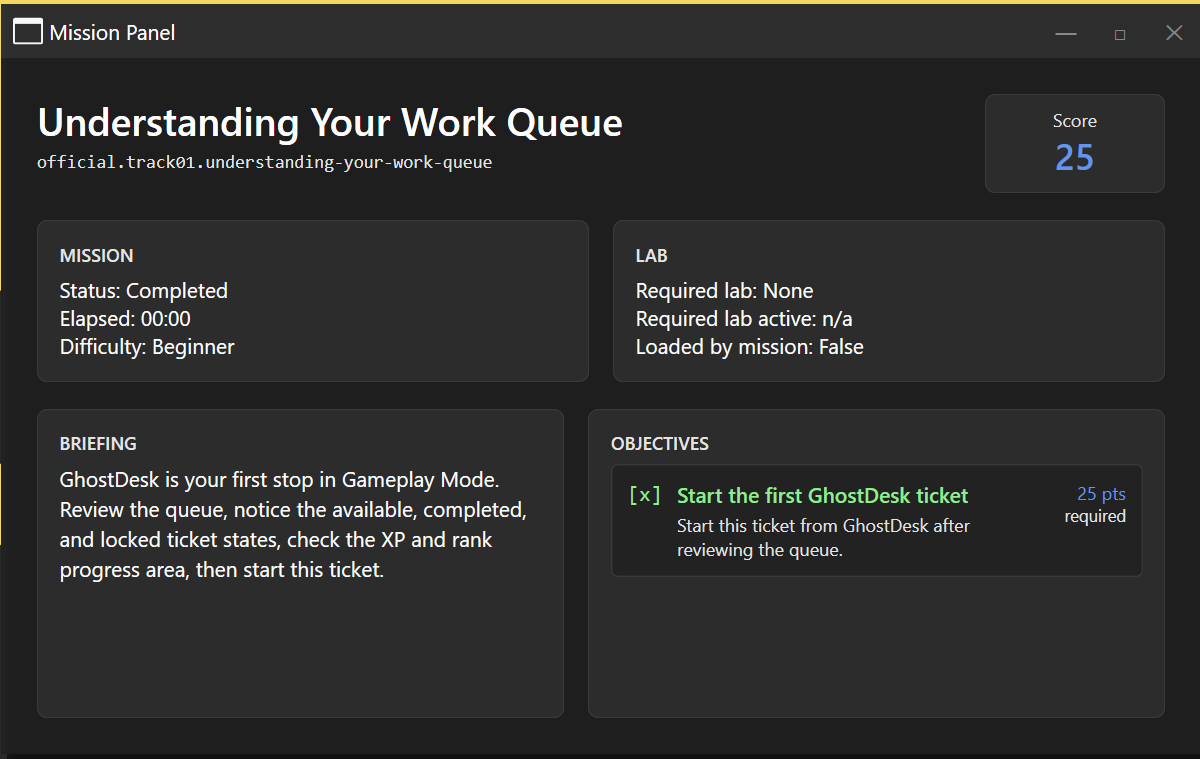
GhostDesk presents available, completed, and locked tickets along with XP, rank, and progress. The Mission Panel shows the current briefing, objective state, score, and lab requirement. The first orientation ticket, Understanding Your Work Queue, introduces this workflow.
Collect, explain, submit
Follow the briefing, inspect the relevant system, and keep a concise record of what you observed. Supported objectives can respond to successful actions or evidence submission. Use the mission’s instructions and submit help for the expected evidence form; a command that fails should not be treated as proof of a successful action.
An example investigation is an unreachable web service: establish the client address and route, compare ping with a TCP probe, inspect the relevant service, and explain the result. Save the exact target and observation so your answer is traceable.
Completion and progression follow the mission’s objective rules. A checked objective is stronger evidence than assuming that typing a familiar command was enough.
Shape an exercise through the builders
When their optional bundled apps are installed, GhostLab Builder and GhostMission Builder let you shape topologies and learning scenarios through the application. Lab tools support devices, links, and supported service settings; mission tools support briefings and objectives. Test a practice scenario before using it for instruction.
Optional local AI mentoring is a separate choice. It can support explanation, but generated answers can be wrong and do not replace the briefing or observable evidence. You can explore labs and missions without enabling AI.